A simple yet powerful solution that lets you define precise, city-based shipping rates in your WooCommerce store. Improve accuracy, streamline delivery costs, and offer a more transparent checkout experience to your customers.

Shipping rate by cities plugin allows you to set custom shipping rates based on cities in your WordPress WooCommerce store. It provides a flexible solution for configuring shipping costs specific to different cities, giving you greater control over your shipping options.
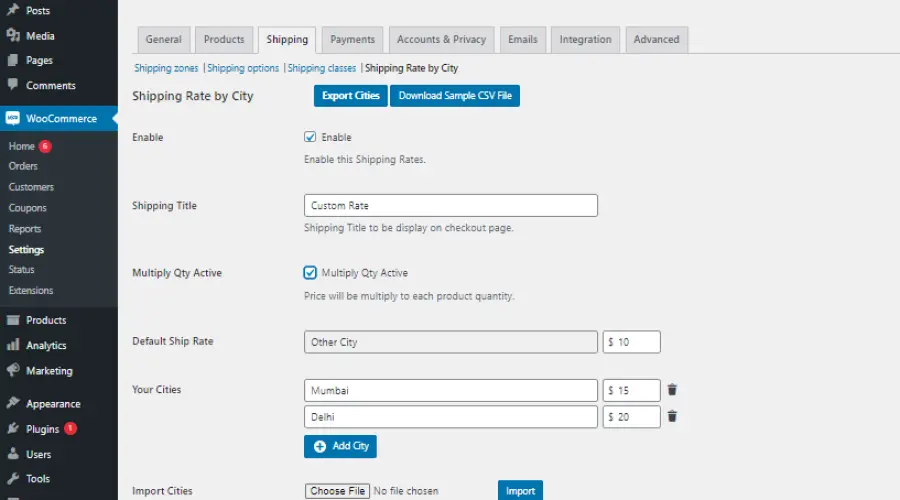
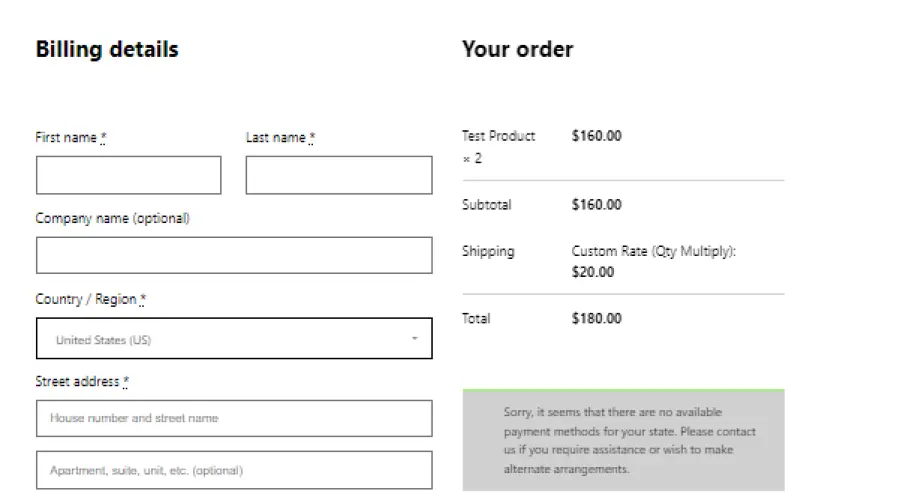
Shipping Rate by Cities plugin allows you to set custom shipping rates based on cities in your WooCommerce store. It provides a flexible and powerful solution for configuring accurate shipping costs for different locations, helping you improve delivery efficiency and customer satisfaction.
If your store needs more granular control, handles many delivery locations, or requires efficient bulk management — Pro saves time and reduces manual errors.
Shipping Rate By Cities Pro extends the free plugin with powerful features for managing delivery pricing across states, cities and areas. Optimized for performance, bulk operations, and large datasets used by stores with complex delivery needs.
Multi-level matching for precise shipping rate control.
Show State only, City only, Area only, or any combination.
Works seamlessly with WooCommerce state dropdowns.
Set fallback rates for unmatched locations.
Easily manage large datasets with search & pagination.
Update or delete multiple locations at once.
Import/export with auto-generated templates (large file friendly).
Handles 10k+ rows without slowing down.
Fully compatible with themes and multilingual plugins.
If your store needs more granular control, handles many delivery locations, or requires efficient bulk management — Pro saves time and reduces manual errors.
Buy Shipping Rate By Cities Pro