A lightweight floating button that appears on all pages. Add multiple sub-buttons, each with icons, links and tooltips — perfect for call-to-actions & shortcuts.

Floating Button / CTA allows you to add a floating button that appears on all pages of your website. When clicked, the main button reveals multiple sub-buttons with icons, links and tooltips. It's responsive, lightweight and highly customizable.
Show lightweight, responsive floating action button with multiple sub-buttons — perfect for shortcuts and fast call-to-actions.
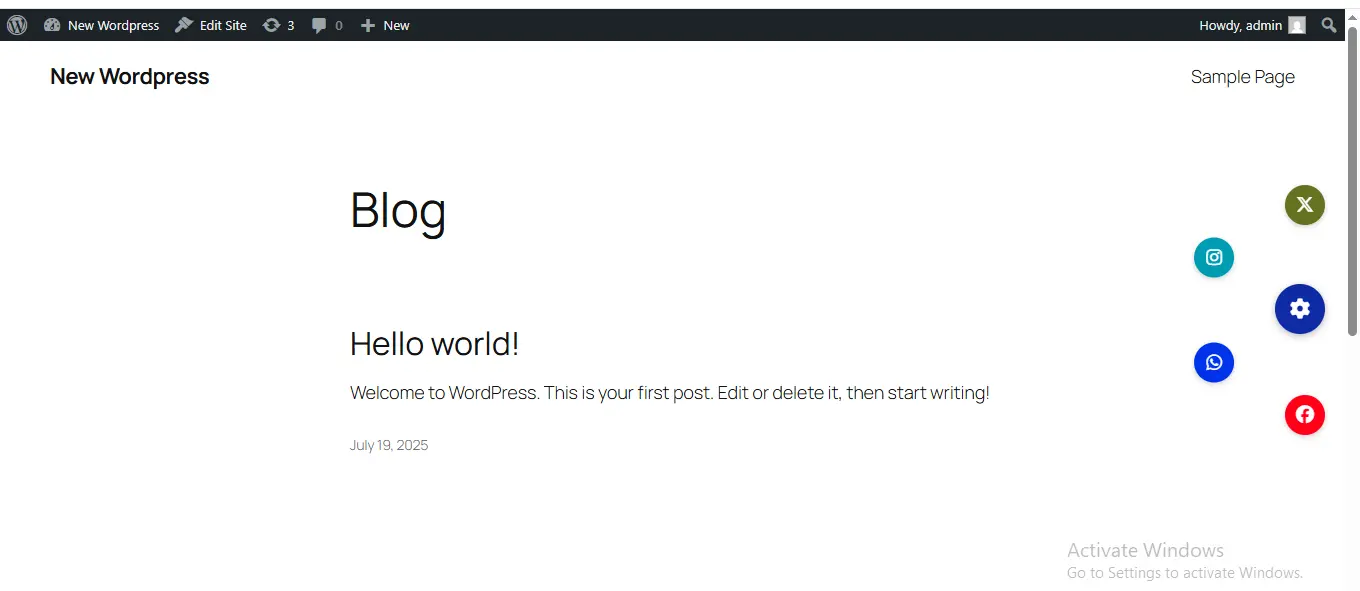
If you want more control over button placement, advanced animations, conditional display rules, or multiple floating button sets — the Pro version unlocks powerful features that improve UX and boost engagement across your website.
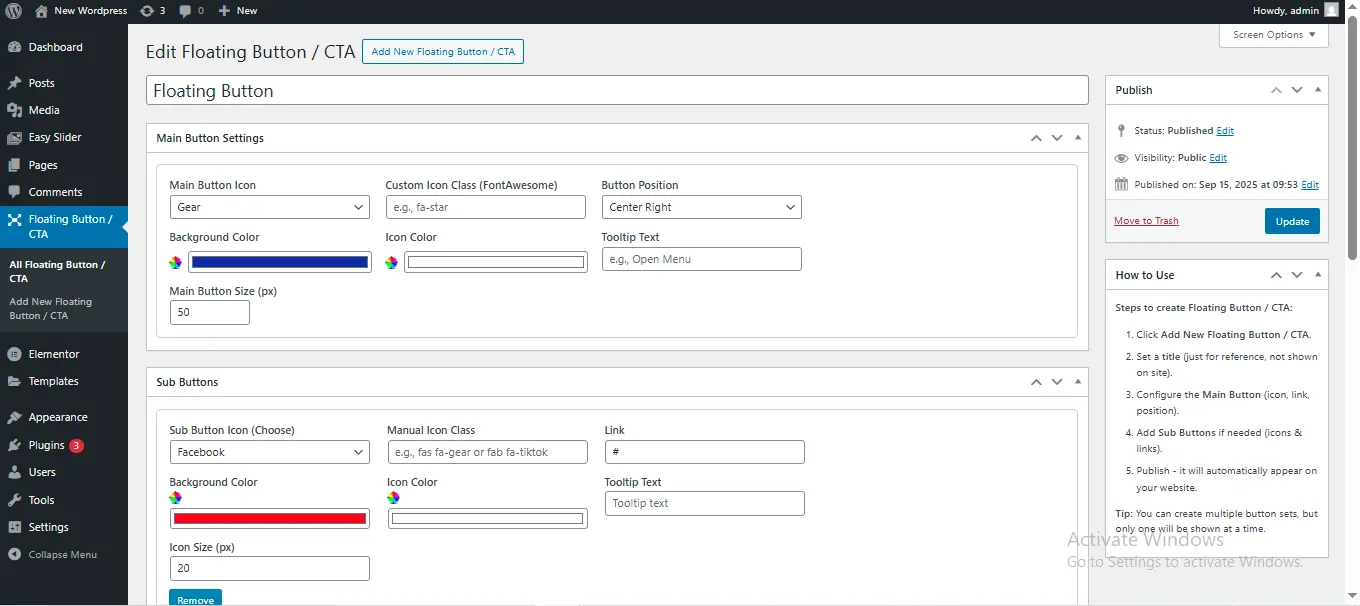
If multiple button sets exist, only one will display on the front end.
Floating Button / CTA Pro gives you advanced control, smarter layouts, animations, conditional rules, and unlimited floating buttons for a fully customizable user experience.
Move the button anywhere on the screen with a simple drag action.
Choose how your button behaves: fixed, scrolling, or auto-smart visibility.
Round, square, pill, or card-style buttons — fully customizable.
Bounce, pulse, shake, fade, rotate, scale and more.
Expand sub-buttons in arc, vertical, horizontal, or grid mode.
Add different button sets across specific pages or sections.
Add as many action buttons as you need — no limits.
Open in same tab, new tab, or trigger JavaScript functions.
Show or hide buttons based on device type.
Target by page, post type, user role, or advanced logic.
Add rich HTML tooltips with images, text or links.
Fine-tune margins, shadows, alignment and spacing.
Lightweight and fast — optimized for minimal load time.
If your website needs advanced floating actions, multiple button sets, mobile targeting, animation effects, or smart display rules — the Pro version gives you powerful controls that dramatically improve user experience and engagement.
Buy Floating Button / CTA Pro — $9 / year